A lyric video for your song, timed to every word
Upload your song, paste its lyrics and pick an accent color. Your AI agent sets the words in bold Swiss-style type over black and white and times each word to the vocals.
Try Lyric Video Maker free: no sign-up to start. You chat with Emma, your AI agent, while she works, and the results appear on the page.
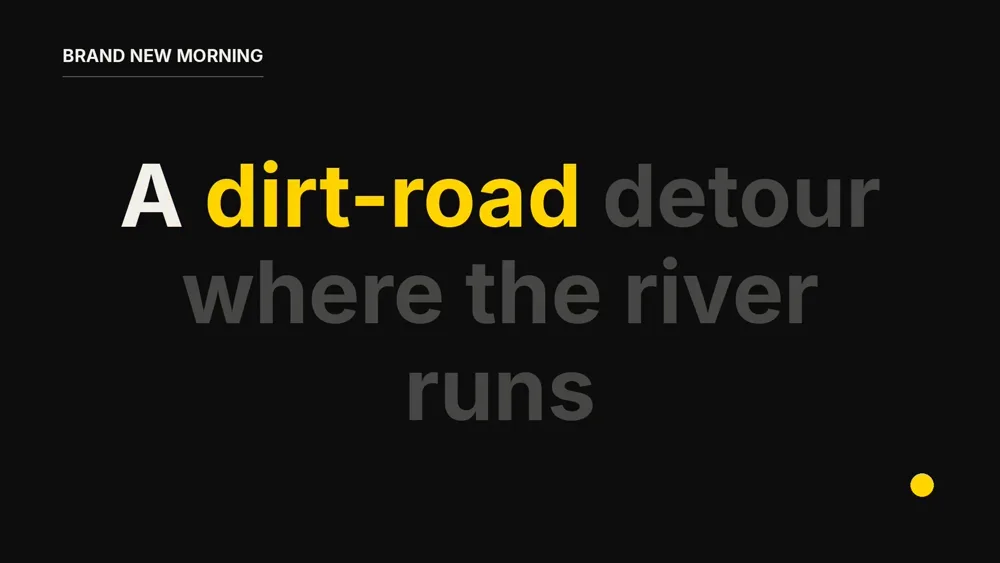
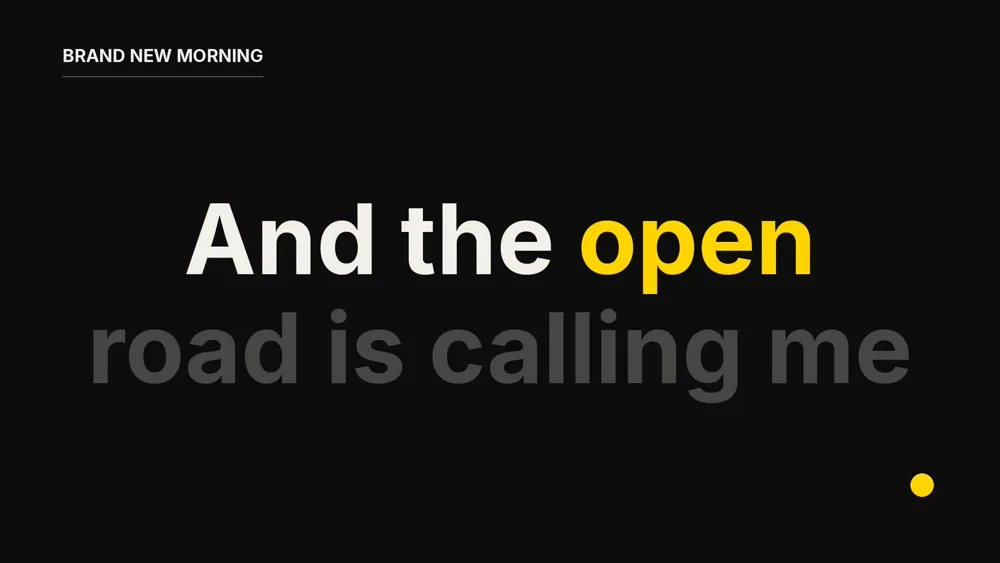
A lyric video is often the first video a song gets, and this lyric video maker makes yours in one go. Upload your song, paste the lyrics and pick one accent color. Emma, your SuperCool AI agent, sets your words in bold Swiss-style type over black and white, and times every word to your vocals so each one appears as it's sung.
Behind the words, the video moves through clean typographic frames: a strict grid with your song title and section names like VERSE and CHORUS, thin rules and one flat shape in your accent. You get one 1920 x 1080 video of the whole song, up to four minutes, ready for YouTube. Your lyrics stay exactly as you wrote them.
Real results
How it works
- Drop in the song. Add your track to field 01, The song: an MP3, WAV or M4A up to 10 MB. You can play it right there to check it.
- Paste the lyrics and pick a color. Paste the lyrics in field 02, one line per line, marking sections like [Chorus] if you like. Then pick one accent: Pink, Red, Yellow, Lime, Blue or Cyan.
- Set it in motion. Press Set it in motion. Emma may ask for the song title and artist name while she works; tell her in the chat.
- Watch and download. The lyric video plays on the page. Download it, and ask Emma for a vertical version if you want one.
What you get
- A lyric video for your whole song (up to 4 minutes)
- Words that appear as they're sung
- Bold Swiss typography in black, white and your accent
- Ready for YouTube at 1920 x 1080
Who it's for
- Independent artists. Have a lyric video ready on release day without hiring an editor.
- Songwriters and producers. Share a demo with the words on screen so listeners can follow along.
- Church and worship bands. Make lyric videos of your own original songs for rehearsal or sharing.
- Bands promoting a single. Put out a clean, typographic visual that suits a minimal release look.
- Music teachers. Turn a song your class wrote into a sing-along video with the words timed to the singing.
Ideas to try
- My indie pop single 'Paper Planes' as an MP3, full lyrics with [Verse] and [Chorus] marked, Pink accent
- A three-minute acoustic demo exported from my phone, lyrics pasted line by line, Yellow accent
- Our band's punk track with two verses and a shouted chorus, Red accent
- An original worship song from our church band as a WAV, Blue accent
- A lo-fi hip hop track with a short hook repeated four times, Lime accent
- My synthwave song with a long instrumental intro and a bridge, Cyan accent
On your own or with Emma
| On your own | With Emma | |
|---|---|---|
| Timing | Placing every word by hand on an editing timeline. | Your lyrics lined up with the vocals so words appear as they're sung. |
| Design | Trying fonts and layouts until something looks right. | A consistent Swiss grid in black, white and your accent color. |
| Accuracy | Typos creep in when you retype lyrics into an editor. | Your lyrics exactly as pasted, with bracketed section labels left off the screen. |
| Time spent | An evening or more per song in a video editor. | One full-song video while you chat with Emma. |
Tips for a better result
- Paste the lyrics in the order they're sung, writing out a repeated chorus each time.
- Mark sections like [Verse] and [Chorus]. Emma uses them for the big words on the background frames.
- Keep the file under 10 MB. An MP3 export of a large WAV usually fits.
- Pick an accent that matches your cover art so the video and the release look like a set.
- Songs over four minutes are cut to the first four with a fade. Upload a radio edit if you want a specific ending.
Try it free
The free try makes a smaller version: your first chorus as a lyric clip, timed to the vocals in the same style. The full-song video, up to four minutes, comes with an account and credits.
Questions
Is it free?
You can try it free. The free trial makes a smaller version: the first chorus as a lyric clip. The full-song video uses credits on your account.
How are the words timed?
Your agent lines up the lyrics you paste with the vocals in your track, so the words appear as they're sung. Clear vocals time best; heavily layered or effected vocals can drift a little.
Can I get a vertical version?
Yes. Once the video is made, ask your agent for a 9:16 version for Reels, TikTok and Shorts.
What audio files does the lyric video maker take?
MP3, WAV or M4A, up to 10 MB.
How long can the song be?
Up to four minutes. A longer song is cut to its first four minutes with a short fade out, and the page notes it.
What size is the video?
16:9 at 1920 x 1080, the standard landscape size for YouTube.
Can I choose my own font?
No. The style is set: bold sans-serif type in black and white with one accent from six choices: pink, red, yellow, lime, blue or cyan.
Does it change my lyrics?
No. The words on screen are your lyrics exactly as written. Section labels in brackets, like [Chorus], are left off.
Can I make a lyric video for someone else's song?
Only upload songs you have the right to use, like your own music. Check the rules of the platforms you post to.
More things your agent can do
- Music Video for Your Song: A music video for your song, starring the artist
- Album Cover Designer: Three album cover concepts from three words
- Personalized Birthday Song: A birthday song made just for them
- Business Jingle Maker: A catchy jingle for your business
- Audio Documentary Narrator: Get a documentary narration, mastered with music
- Song & Music Video Maker: An original song and its music video
- Song Lyric Rewriter: New lyrics in the shape of a song you love
- Old Photo Restorer: Bring an old family photo back to life
SuperCool is an AI agent that does the work: research, videos, images, websites, documents and more.