Turn your storyboard into a film
Drop your storyboard frames onto the timeline and pick the aspect ratio. Your AI agent animates them and cuts them together into one video with a music bed.
Try Storyboard to Film free: no sign-up to start. You chat with Emma, your AI agent, while she works, and the results appear on the page.
A storyboard shows the shots. This page shows them moving. Drop your storyboard frames onto the timeline, put them in order and pick wide, vertical or square. Emma, your SuperCool AI agent, animates each frame into a 5-second shot that keeps its look and composition, then cuts them together into one video with a music bed underneath.
It's an easy way to turn a storyboard into an animatic or a rough cut you can show a client, a team or a class. Rough pencil sketches and finished art both work, because the motion is built from what each frame already shows. Add a line of direction, like "slow push-ins, moody and quiet", and Emma works it into how every shot moves.
Real results
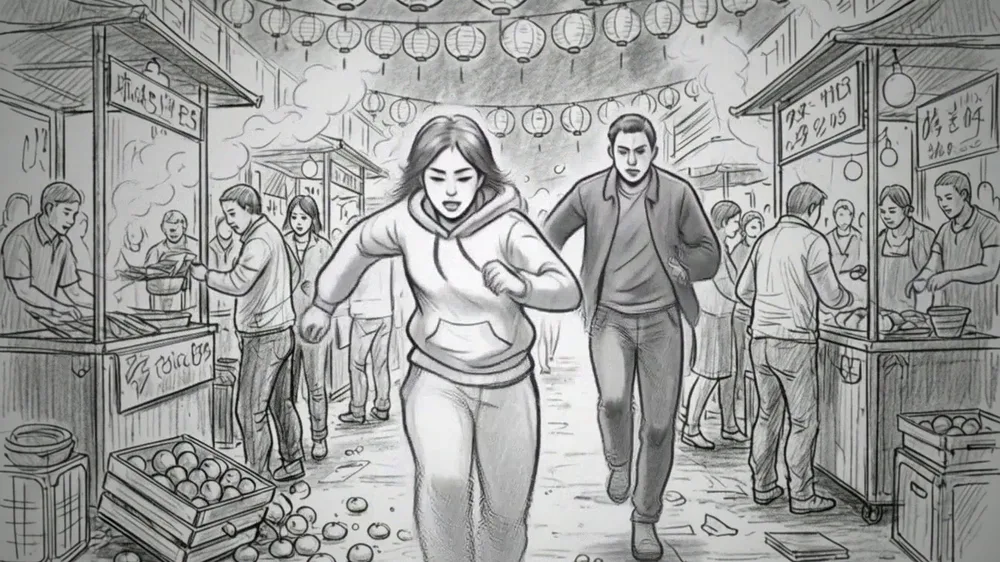
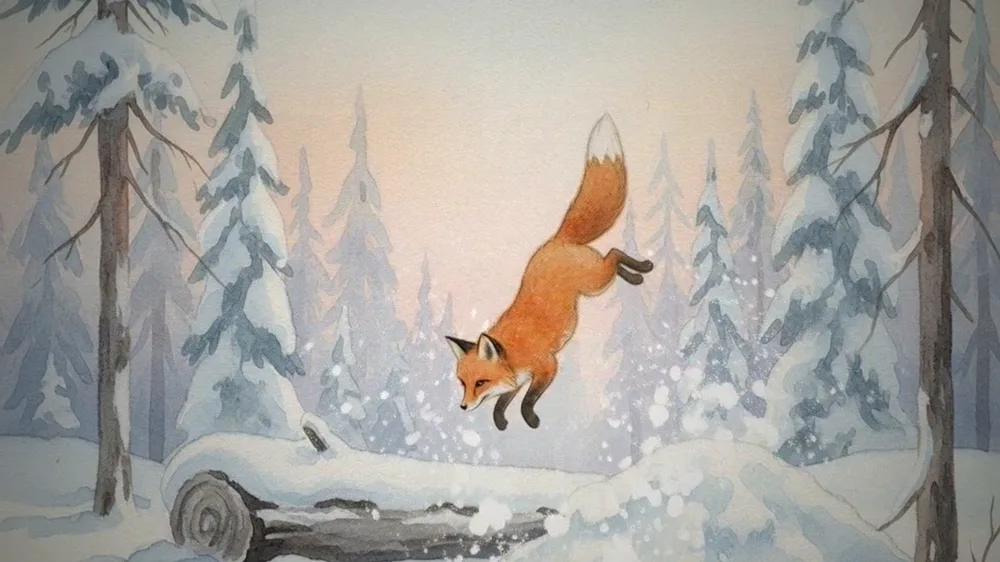
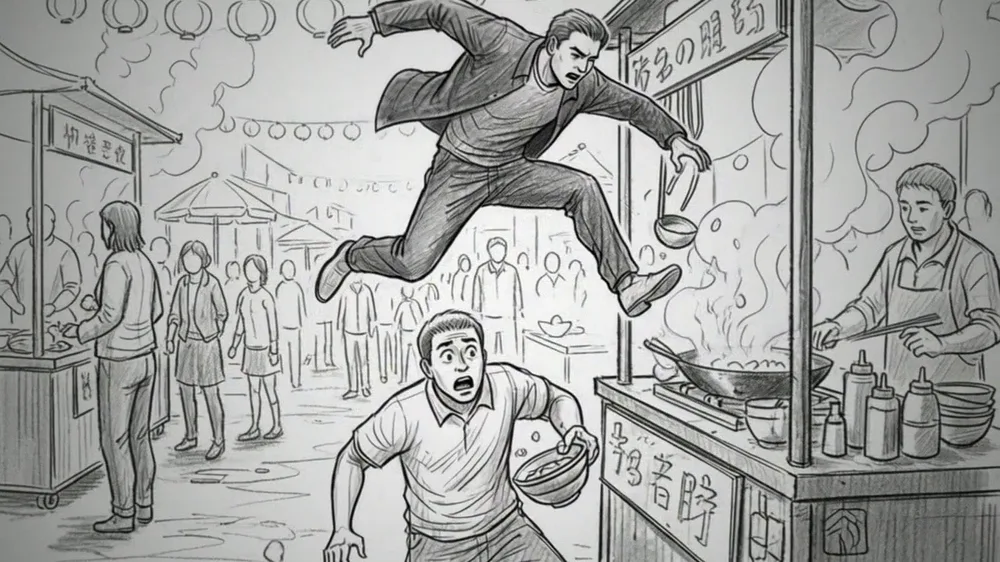
How it works
- Drop your frames on the timeline. Add up to four storyboard frames as image files. Reorder them with the arrows or pull one out.
- Pick the sequence setting. Choose Wide 16:9, Vertical 9:16 or Square 1:1, and add an optional line of direction. Then press Cut my film.
- Talk mood and music. While Emma animates the frames, she may ask about the mood and the music you hear for it. Your answers get passed along.
- Watch and download the cut. The finished film plays on the page, shot by shot on the timeline, with a button to download it.
What you get
- Your frames animated as 5-second shots
- Cut together in your order, with transitions
- Wide, vertical or square
- A music bed under the cut
Who it's for
- Filmmakers and directors. An animatic of a scene to check pacing and camera moves before the shoot.
- Agencies and ad teams. Show a client how a storyboarded spot will move before anything is shot.
- Animators and illustrators. Bring a sequence of drawings to life to test an idea or pitch a project.
- Film and design students. Turn a storyboard assignment into a short moving cut with music.
- Social creators. Plan a vertical video as frames, then see it cut together before filming.
Ideas to try
- Four pencil frames of a chase through a night market, Wide 16:9, fast and punchy like an action trailer
- Three frames of a coffee brand spot, Square 1:1, warm morning light, gentle motion
- Four watercolor frames of a fox in a snowy forest, Wide 16:9, gentle motion, keep my drawing style
- Three frames for a phone app ad, Vertical 9:16, quick and upbeat
- Four frames of a lonely astronaut on a red planet, Wide 16:9, slow push-ins, moody and quiet
- Two comic panels of a superhero landing on a rooftop, Vertical 9:16, dramatic
On your own or with Emma
| On your own | With Emma | |
|---|---|---|
| Animating | Hand-animating each frame or learning motion software. | Emma animates your frames as 5-second shots that keep their style and composition. |
| Editing | Lining up clips and adding transitions in a video editor. | The shots are cut together in your order with crossfades. |
| Music | Searching for a track and trimming it to fit. | An instrumental music bed made as long as the cut. |
| Format | Re-exporting for each platform's shape. | Pick wide, vertical or square before you start and the whole cut matches. |
Tips for a better result
- Put your frames in story order before you press Cut my film. The video follows the timeline exactly.
- Choose your strongest three frames for the first three spots. They're the ones that get animated.
- Add one line of direction about pace and mood. It shapes how every shot moves.
- Draw frames in the aspect ratio you pick, so nothing important gets cropped.
- Tell Emma in the chat the music you hear for the piece.
Try it free
The free try animates your first frame into a 5-second shot. Animating every frame and cutting them together with music comes with an account and credits.
Questions
How many frames can I use?
Up to 4 on this page. The first 3 are animated; a 4th is held on screen with a slow camera move. Ask your agent to animate more in a follow-up.
Will it keep my drawing style?
It animates from your frames, so the look follows them, from rough sketches to finished art. Add a line of direction if you want a different feel.
Is it free?
You can try it free: the free version animates your first frame into a 5-second shot. The full cut with music comes with an account and credits.
How long is the finished video?
Each frame becomes a 5-second shot, so up to about 20 seconds with four frames.
What aspect ratios can I choose?
Wide 16:9, Vertical 9:16 or Square 1:1. The music and every shot are cut to match.
Can I turn my storyboard into an animatic?
Yes. That's what this page does: each frame moves as its own shot, cut together in order with a music bed, so you can judge timing and flow.
Does it add new scenes or characters?
No. It doesn't make new images. Each shot is animated from your own frame.
What files can I upload?
Image files of your frames, up to four. Scans, photos of sketches and digital art all work.
Can I choose the music?
There's no music picker on the page. Tell Emma the mood or style you want in the chat while she works, and she'll pass it along.
Can I change the order of my frames?
Yes. Use the arrows on each shot in the timeline to move it earlier or later, or remove it, before you press Cut my film.
More things your agent can do
- Photo-to-Hero Video: Turn one photo into a dramatic hero reveal
- Short Film Studio: Make a short film from one line
- Pilot Episode Planner: Plan your TV show's first season
- Star In Your Own Movie Scene: Star in your own movie scene
- Horror Short Maker: Make a horror short from your worst fear
- Fan Trailer Maker: Make a fan trailer with your own twist
- Book Trailer Maker: Make a trailer for your book
- Anime Opening Maker: Make the opening for your own anime
SuperCool is an AI agent that does the work: research, videos, images, websites, documents and more.