Turn your photo into a 3D animated movie character
Drop in a photo of you, your kid or your pet and pick a scene. Your AI agent turns them into a warm, 3D animated-style character, ready to download.
Try Pixar-Style You free: no sign-up to start. You chat with Emma, your AI agent, while she works, and the results appear on the page.
Ever wondered what you'd look like as the star of an animated movie? Drop in a photo of yourself, your kid or your pet, pick a scene, and Emma, your SuperCool AI agent, will turn your photo into a 3D animated character: big expressive eyes, soft studio lighting, warm background, and still recognizably them.
The portrait is set in the scene you choose, from a cozy living room to outer space, and comes with a fun character name and a one-line movie-style intro. With an account you also get a matching phone wallpaper and a 5-second animated clip of your character blinking, smiling or turning toward the camera. It's a Pixar-style look made by AI, not affiliated with any studio.
Real results
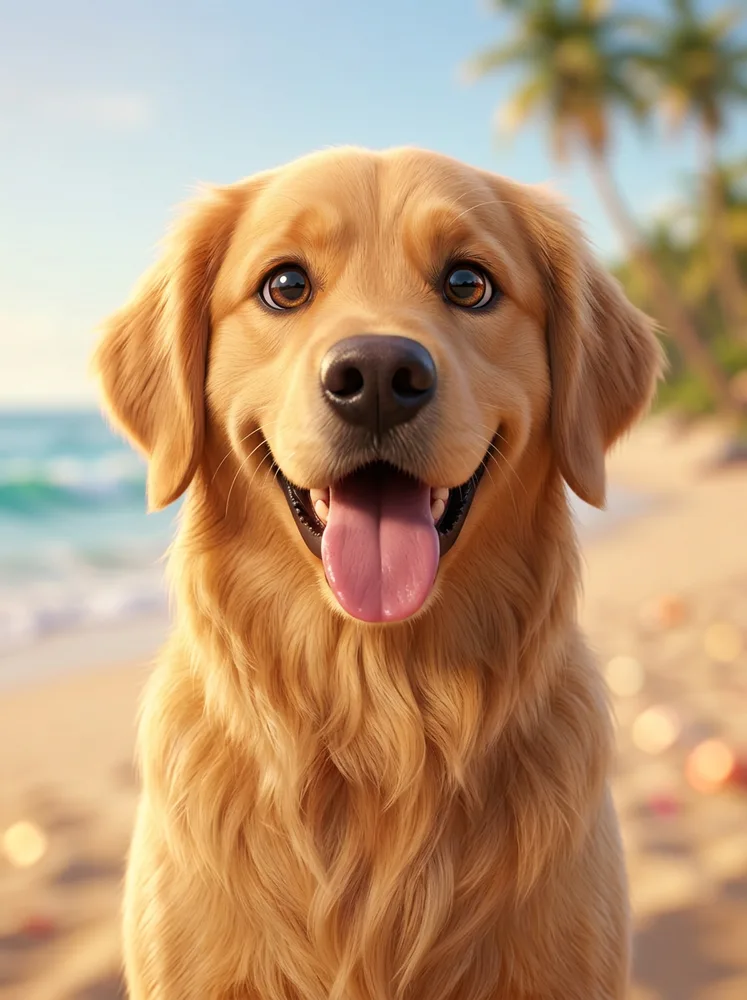
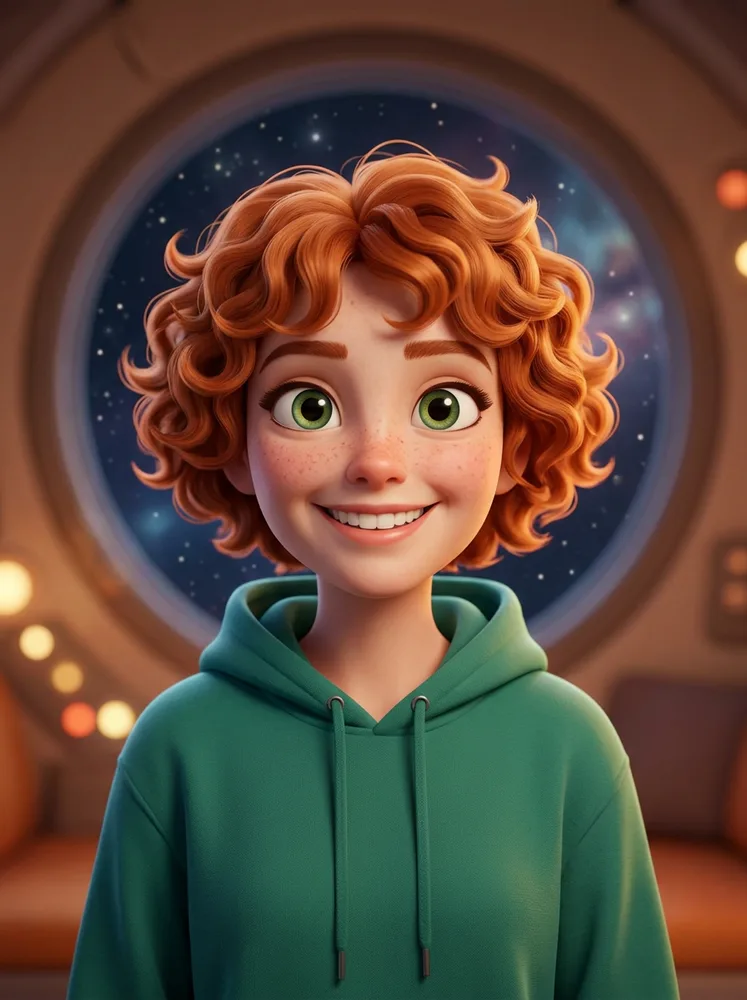
How it works
- Drop a photo on the sheet. Add one photo to the character sheet on the easel. A clear face works best.
- Say who it is and pick a scene. Choose Me, My kid or My pet, then a scene: Cozy living room, Big adventure, Enchanted forest, Outer space, Beach day or Holiday morning, or type your own.
- Press Make me a 3D character. The portrait starts the moment you begin. Meanwhile Emma asks about their personality or a favorite thing to slip into the scene.
- Download your character. The portrait lands on a character card with its name and intro, alongside the wallpaper and animated clip, each with a download button.
What you get
- A 3D animated-style portrait from your photo
- Set in the scene you pick
- A character name and intro line to go with it
- A matching phone wallpaper
- A 5-second animated clip of your character
Who it's for
- Parents. Moms and dads who want to see their kid as an animated hero, for a bedroom print or a birthday invite.
- Pet owners. People who want their dog or cat as a movie character, for a wallpaper or a fun gift.
- Gift givers. Anyone making a personal present for a friend, a grandparent or a partner.
- Social media users. People who want a fresh profile picture or a post that gets a reaction.
- Families at the holidays. Households making a holiday-morning portrait for cards and the family chat.
Ideas to try
- A photo of my daughter, My kid, Big adventure
- My golden retriever Biscuit, My pet, Beach day
- A selfie of me, Me, Outer space
- My son in his dinosaur pajamas, My kid, Holiday morning
- My cat curled on the couch, My pet, Cozy living room
- A photo of me, Me, my own scene: baking cookies with grandma
- My twin boys, My kid, Enchanted forest
On your own or with Emma
| On your own | With Emma | |
|---|---|---|
| Getting the look | Commission a 3D artist, or learn modeling software. | One photo and a scene, turned into a 3D animated-style portrait. |
| Likeness | Filters that flatten faces into a generic cartoon. | Keeps their recognizable features, hair and coloring. |
| More than one picture | Crop and resize separately for a phone background. | A matching 9:16 phone wallpaper with room for the clock. |
| Motion | Animation is a whole separate project. | A 5-second animated clip made from the portrait. |
Tips for a better result
- Use one clear, well-lit photo with the face easy to see. Avoid sunglasses and heavy shadows.
- For pets, a photo at their eye level shows their face best.
- Type your own scene for something personal, such as baking cookies with grandma or a first day of school.
- Tell Emma a favorite toy, hobby or color. She can work it into the scene.
- If it's not quite them, ask Emma for another take.
Try it free
The free try makes the 3D animated-style portrait from your photo, with a character name and intro line. The phone wallpaper and the 5-second animated clip come with an account and credits.
Questions
Is it free?
You can try it free: the free version makes the 3D-style portrait. The phone wallpaper and the animated clip come with an account and credits.
Is this made by Pixar?
No. It's an AI image in a 3D animated-movie look, not affiliated with or endorsed by Pixar or Disney.
What photo works best?
One clear, well-lit photo where the face is easy to see. Pets work great too. AI results vary, so ask your agent in the chat for another take if it's not quite them.
How do I turn my photo into a Pixar-style character?
Upload a photo, say whether it's you, your kid or your pet, and pick a scene. Emma makes a 3D animated movie-style portrait that keeps their features. The look is inspired by animated films; it isn't connected to any studio.
Does it work with pets?
Yes. Choose My pet and upload a clear photo where their face is easy to see.
How long does it take?
The portrait starts the moment you press Make me a 3D character. With an account, the wallpaper and the animated clip follow while you chat with Emma.
What size is the portrait?
The portrait is 3:4, a little taller than it is wide. The phone wallpaper is 9:16.
Can I choose my own scene?
Yes. Pick one of the six scenes or type your own on the line under them.
Can I use a photo of someone else?
Only upload photos you have the right to use, and ask before turning another adult into a character.
Can I print the 3D character portrait?
Yes. Download it from the page and print it for your own use, such as a frame or a card.
More things your agent can do
- Anime Avatar Maker: Turn your selfie into an anime character
- 3D Figurine Maker: Turn a photo into a 3D figurine
- Movie Poster of You: Put yourself on a movie poster
- Hairstyle & Look Try-On: See a new hairstyle on you before you commit
- Background Swap Studio: Put your photo anywhere in the world
- AI Headshot Studio: Professional headshots from your selfies
- Character Sheet Studio: A consistent character sheet for your character
- Meta Ad Account Analyzer: Find out what's wasting your ad budget
SuperCool is an AI agent that does the work: research, videos, images, websites, documents and more.