Professional headshots from your selfies
Drop in a few selfies, pick a look and a background. Your AI agent shoots 8 professional headshots in that style, cropped for LinkedIn and your resume.
Try AI Headshot Studio free: no sign-up to start. You chat with Emma, your AI agent, while she works, and the results appear on the page.
You need a professional headshot and don't want to book a photographer. Upload a few selfies, pick a look and a backdrop, and Emma, your SuperCool AI agent, shoots 8 AI headshots in that style. She keeps your face shape, skin tone, hair and eye color, and varies the wardrobe and pose so you have real choices.
Your shots land on a contact sheet where you can star favorites and download each one. Emma also crops the best two for LinkedIn, as a 400 by 400 square, and for a resume, at 600 by 750. While she works, tell her where you'll use them and anything to avoid, like glasses or a certain jacket color.
Real results
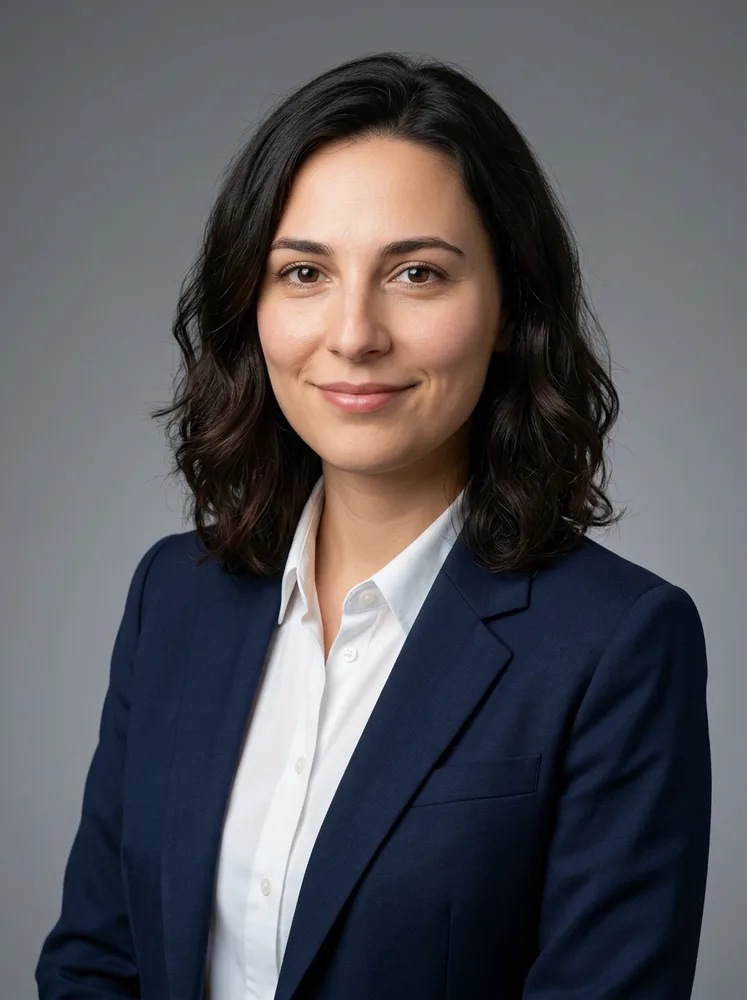
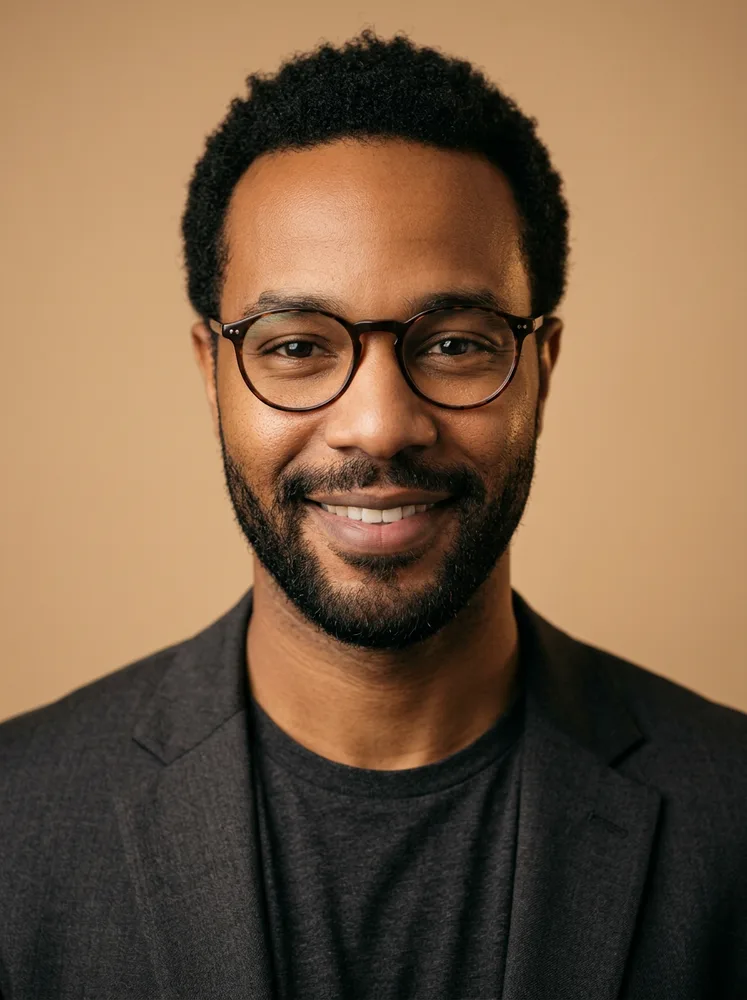
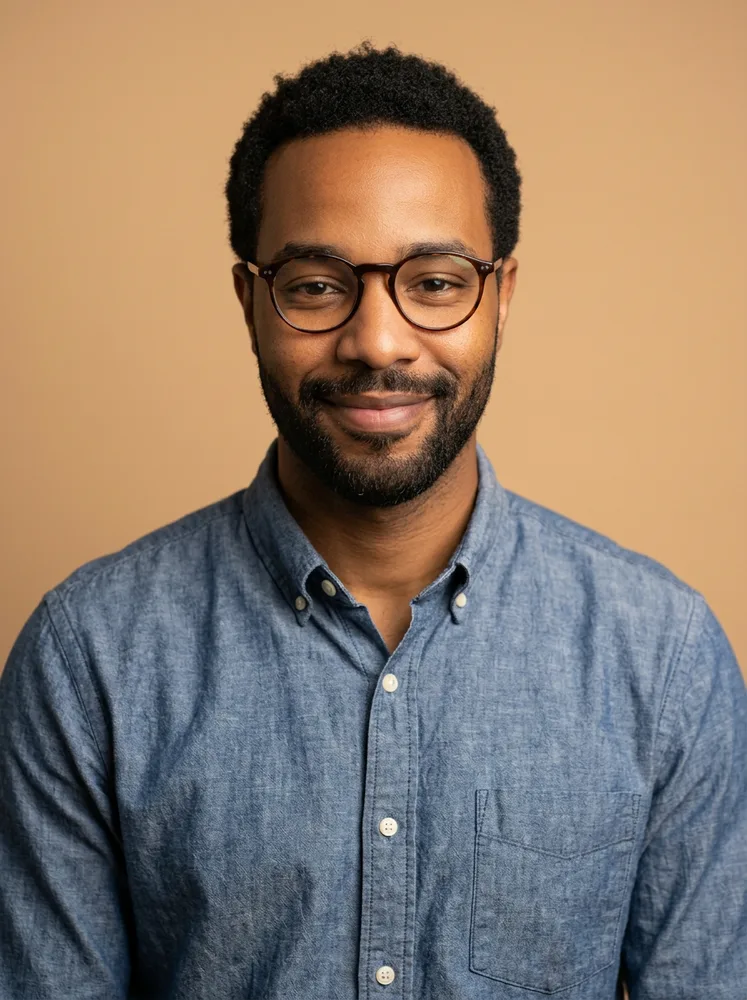
How it works
- Add your selfies. Drop 1 to 4 selfies onto the contact sheet, or tap Add selfies. Three or four from slightly different angles work best.
- Pick a backdrop and a look. Tap Studio grey, Soft office, Outdoor green or Warm beige for the backdrop, then choose Corporate, Creative or Actor.
- Press Shoot my headshots. Emma starts the shoot. Chat with her about where the photos are going, glasses on or off, or a color you'd rather not wear.
- Pick and download. Eight headshots land on the contact sheet. Star your favorites, download the ones you like, and grab the LinkedIn and resume crops.
What you get
- 8 professional headshots in the look you pick
- Your choice of backdrop: studio grey, office, outdoor or warm beige
- LinkedIn and resume crops of the best two
- A contact sheet to star your favorites
Who it's for
- Job seekers. A clean, current photo for LinkedIn and a resume without a studio booking.
- Founders and consultants. Headshots for a website, a pitch deck or a speaker bio, in one consistent look.
- Actors starting out. Try the Actor look, natural and true to life with eyes forward, to see which style suits you. Check whether a casting call wants real photos.
- Small teams. Matching headshots for a company page when everyone picks the same look and backdrop.
- Creatives and freelancers. The Creative look brings warmer light and smart-casual clothes for a portfolio or a social profile.
Ideas to try
- Four window-lit selfies, Corporate look, Studio grey, for my LinkedIn and resume
- Three selfies with my glasses on, Creative look, Warm beige, for my design portfolio
- Two selfies facing the camera in a plain black t-shirt, Actor look, Studio grey
- Corporate look on the Soft office backdrop for the team page on our firm's website
- Creative look with Outdoor green behind me, for my podcast host bio
- Corporate look, Warm beige, for my real estate business cards
On your own or with Emma
| On your own | With Emma | |
|---|---|---|
| Booking | Book a photographer, travel to a studio and wait for the edits. | Upload selfies from your phone and get headshots back on the page. |
| Choice | Pick from whatever the session produced. | Eight shots with varied wardrobe and pose, in the look and backdrop you chose. |
| Crops | Crop and resize each photo for every site yourself. | LinkedIn and resume crops of the best two, already sized. |
| Likeness | A real photo is exactly you. | AI headshots aim to keep your likeness but can change small details, so check each one. |
Tips for a better result
- Use selfies taken facing the camera in soft daylight, without sunglasses or heavy filters.
- Include a straight-on shot and a slight turn. Different angles help Emma get your face right.
- Tell Emma in the chat if you always wear glasses, or if there's a color you never wear.
- Pick the backdrop for where the photo will live: Studio grey or Soft office for corporate profiles, Outdoor green or Warm beige for a friendlier feel.
- Look at each shot at full size and only use the ones that look like you.
Try it free
The free try makes two headshots in the look and backdrop you pick. The full shoot of 8 headshots, with LinkedIn and resume crops of the best two, comes with an account and credits.
Questions
Is it free?
You can try it free: the free trial makes two headshots. The full shoot, with 8 headshots and crops, uses credits on your account.
How many selfies should I upload?
Three or four, if you can: facing the camera, good light, no sunglasses, and a couple of angles. It works from one, but more photos help it get your likeness right.
Will they look exactly like me?
They're AI-generated, so they can soften or change small details. Look each one over and use only the ones that look like you. Some employers and casting calls ask for real photos, so check what yours expect.
What size are the headshots?
Each one is a 3:4 head-and-shoulders portrait. The LinkedIn crop is a 400 by 400 square and the resume crop is 600 by 750.
Can I use AI headshots on LinkedIn?
Yes, that's one of the main uses, and the page makes a square LinkedIn crop of the best two. You can use what Emma makes for your own profiles; check the rules of any site you post to.
What's the difference between the three looks?
Corporate is a blazer or smart shirt, confident and approachable. Creative is relaxed smart-casual with warmer light. Actor is a natural, true-to-life headshot in a plain top with eyes forward.
Will the AI headshot generator retouch my skin?
It aims for natural skin texture and good studio lighting rather than heavy beautifying, so you still look like you.
Can I upload photos of someone else?
Only upload photos of yourself, or of someone who has said yes. Headshots of another person need their permission.
Can I get headshots in a different look?
Yes. Come back and pick another look or backdrop, or ask Emma in the chat for a new set.
More things your agent can do
- Resume Glow-Up: Rewrite your resume for the exact job you want
- Bio & Profile Glow-Up: Give your social bio a glow-up
- Pixar-Style You: Turn your photo into a 3D animated movie character
- Anime Avatar Maker: Turn your selfie into an anime character
- 3D Figurine Maker: Turn a photo into a 3D figurine
- Movie Poster of You: Put yourself on a movie poster
- Hairstyle & Look Try-On: See a new hairstyle on you before you commit
- Background Swap Studio: Put your photo anywhere in the world
SuperCool is an AI agent that does the work: research, videos, images, websites, documents and more.